
No More Walking Back to the Label Printer: TC501, TC701, and ZQ600 Plus
Posted by Advanced Automation on Jul 30th 2026
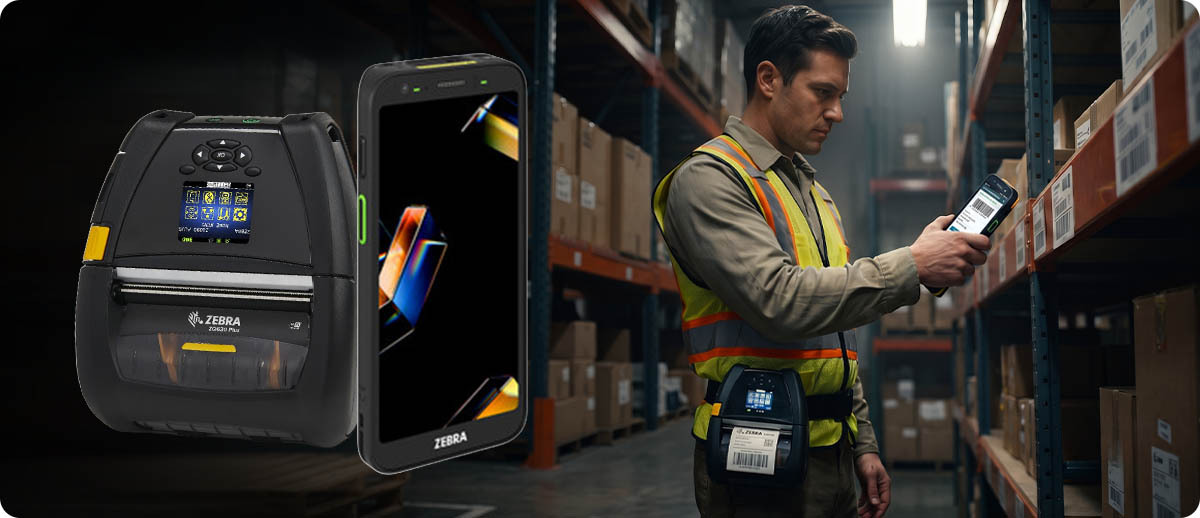
By Advanced Automation, Inc. | Mobile Computing & Printing | TC501 and TC701 with ZQ600 Plus
The TC501 and TC701 are some of the most capable enterprise mobile computers on the market right now. The ZQ600 Plus series is Zebra's current-generation mobile printer lineup, and it's the first mobile printer to support Wi-Fi 6. Both run on Zebra's DNA platform, which is what makes pairing them straightforward rather than a custom integration project. Whether you're evaluating a pick-and-print warehouse workflow, a bedside medication label printing setup in healthcare, or a field service situation where labels need to go on equipment right at the job site, this guide explains how the combination works and which devices to pair for which scenario.
How the TC501 or TC701 Connects to a ZQ600 Plus Printer
Do these devices actually work together out of the box?
Yes, and the setup is simpler than most people expect. The ZQ600 Plus connects to the TC501 or TC701 over Bluetooth. The ZQ620 Plus uses Bluetooth 5.3 or 4.2 depending on the radio configuration. The TC501 runs Bluetooth 6.0 and the TC701 runs Bluetooth 5.2, both backward compatible with the ZQ600 Plus's radio. Pairing is a one-time setup per device pair and takes about a minute.
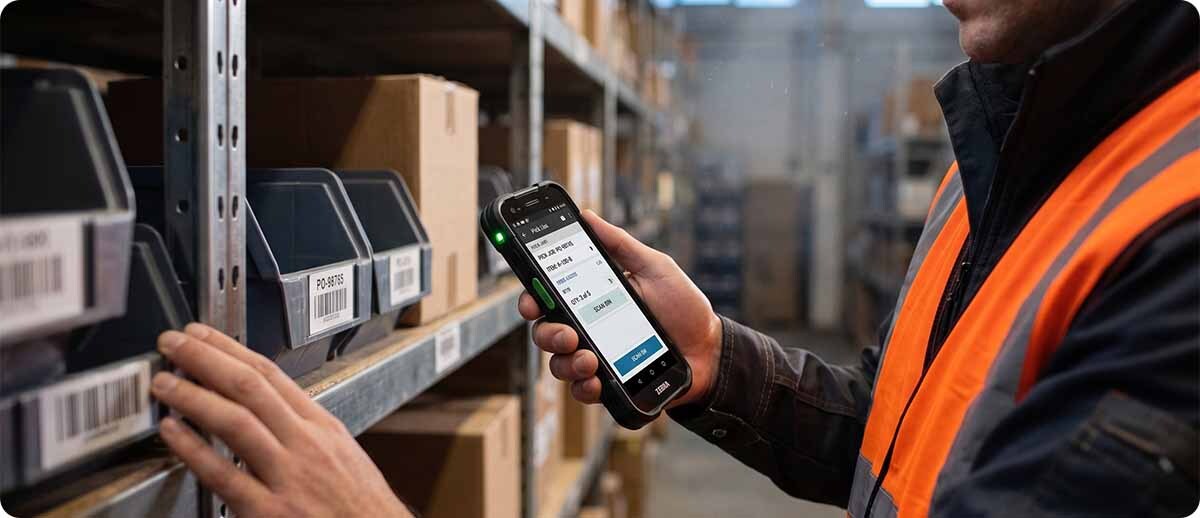
Once paired, the TC501 or TC701's DataWedge software manages the data routing. When a worker scans a barcode, DataWedge can send the scan data to the printing application which then sends the print job to the paired ZQ600 Plus over Bluetooth. The worker scans, and a second or two later a label comes out of the printer clipped to their belt or sitting in a nearby cradle. No manual data entry, no walking back to a fixed station, no delay between the scan event and the label.
Both devices also run on Zebra's DNA platform, which means the same management tools that handle your TC501 and TC701 fleet also work for the ZQ600 Plus printers. You stage, configure, and update both device types through the same infrastructure. If you're already running StageNow for your mobile computers, the process for adding the ZQ600 Plus printers is familiar rather than a separate learning curve.
The Workflows That Make This Combination Worth It
Warehouse pick-and-print
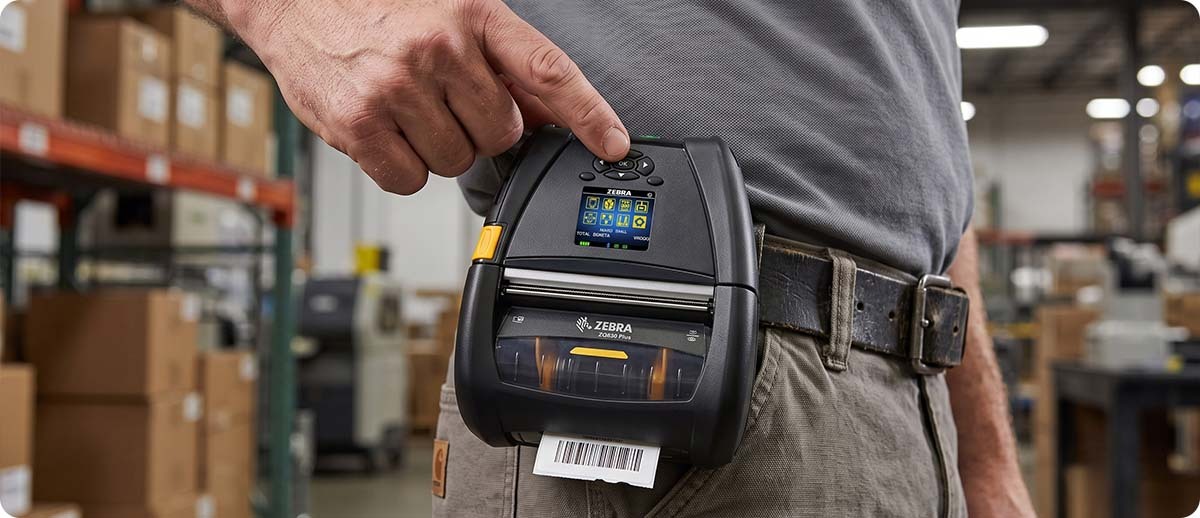
This is the most common scenario. A picker walks the warehouse with a TC501 or TC701, scans an item to confirm a pick, and immediately prints a label for that item to apply right there at the pick location. The label might be a shipping label, a work order tag, a packing label, or a verification sticker depending on the operation. The ZQ630 Plus clips to a belt or shoulder strap and rides along with the worker. The TC701 with its AC670 scan engine that reads from close contact to 100 feet is particularly well-suited for this pairing in high-bay warehouses, since workers can scan from the floor and print immediately rather than walking up to the item first.
Healthcare bedside and point-of-care printing
Clinicians carrying a TC501 scan a patient's wristband to confirm identity and pull up the medication record, then print a label for the medication directly at the bedside from a ZQ620 Plus worn on the body or mounted on a cart. The ZQ620 Plus is available in a healthcare configuration with disinfectant-ready housing that matches the clinical environment requirements of the TC501. No label is prepared ahead of time at a central station. The label is printed at the moment of administration, tied directly to the scanned patient record, which eliminates the error risk of pre-printed labels being applied to the wrong patient.
Field service and asset labeling
A field service technician arrives at a job site with a TC501 and a ZQ620 Plus in their kit. They scan existing asset tags to pull up service records, complete the work, and print a new service label or compliance tag directly on the equipment before leaving. No returning to the office for labels, no carrying pre-printed labels that might not match the job. The label is generated from the actual scan data collected at the asset, making the record and the physical label directly tied together.
Receiving and put-away
A receiving associate scans incoming items at the dock with a TC501 or TC701, confirms receipt in the WMS, and immediately prints a put-away label showing the storage location for each item. The label prints to the ZQ630 Plus clipped to the associate's body before they even move the item. By the time the item reaches the destination location, the label is already applied and the put-away is documented in the WMS. No batch label printing before the shift. No mismatched labels from a pre-printed stack.
What's New in the ZQ600 Plus Over the Original ZQ600
If you're already running ZQ600 series printers alongside your mobile computers, the Plus series is the upgrade worth knowing about. The headline change is Wi-Fi 6 (802.11ax), which makes the ZQ630 Plus the first mobile printer in its class to support the current wireless standard. In high-device-density warehouse environments where dozens of devices are competing for bandwidth, Wi-Fi 6's improved channel utilization translates to more stable printer connections during peak throughput periods.
The ZQ600 Plus also adds Bluetooth 5.3 on Wi-Fi 6 configurations and Bluetooth 4.2 on Wi-Fi 5 configurations, both improvements over the Bluetooth 4.1 on the original ZQ600. A larger color display with status icons replaces the smaller display on the ZQ600, making it easier to read printer status at a glance without decoding indicator light patterns. Battery capacity is improved with instant wake-on-status technology that wakes the printer the moment a print job arrives, eliminating the delay that sometimes caused missed jobs when the ZQ600 went into a deep sleep state.
The ZQ630R Plus adds on-device UHF RFID encoding for operations running RFID label workflows alongside the TC501's built-in RFID reader. Printing and encoding an RFID label on the spot at the point of application, paired with a TC501 that can immediately verify the encoded tag reads correctly, creates a closed-loop RFID labeling workflow that previously required multiple separate devices.
Which Printer Pairs With Which Device for Which Job
| Your Scenario | Mobile Computer | Mobile Printer |
|---|---|---|
| Warehouse pick-and-print, high-bay, forklift | TC701 (AC670, 100ft range) | ZQ630 Plus |
| Standard warehouse receiving and put-away | TC501 (SR500 or SR560) | ZQ630 Plus |
| Healthcare bedside medication labeling | TC501 (SR500) | ZQ620 Plus HC |
| Field service asset labeling and compliance | TC501 (SR560 or AC670) | ZQ620 Plus |
| RFID label print and verify at point of application | TC501 (built-in RFID reader) | ZQ630R Plus (RFID encoder) |
TC501, TC701, and ZQ600 Plus at Advanced Automation
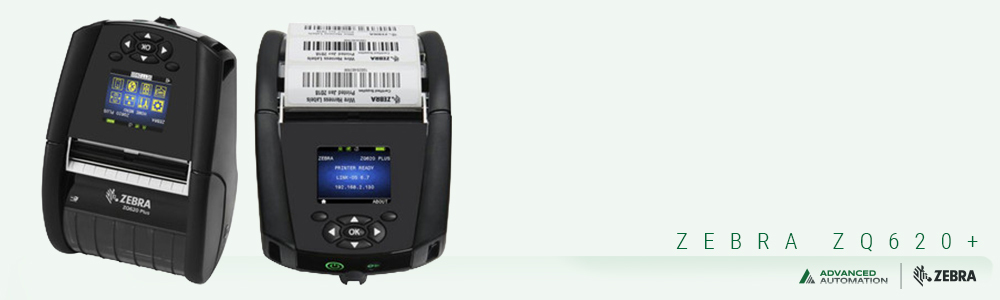
Zebra ZQ620 Plus Mobile Printer
3-inch | Direct thermal | BT 4.x | Color display | Instant wake-on-status
ZQ62-AUFA0B4-00: ZQ620 Plus, DT, 3-inch, BT 4.x, extended battery, belt clip
Shop ZQ620 Plus →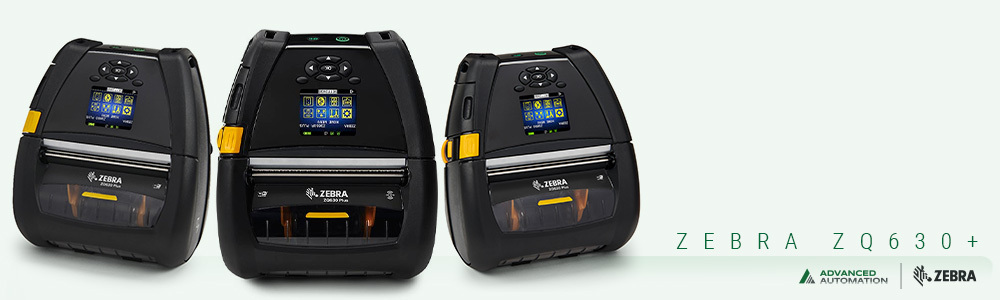
Zebra ZQ630 Plus Mobile Printer
4-inch | Direct thermal | Wi-Fi 6 + BT 5.x | Forklift mountable | Linerless option
ZQ63-AUXA004-00: ZQ630 Plus, DT, 4-inch, Wi-Fi 6 dual radio (802.11ax/BT5.x), belt clip
Shop ZQ630 Plus →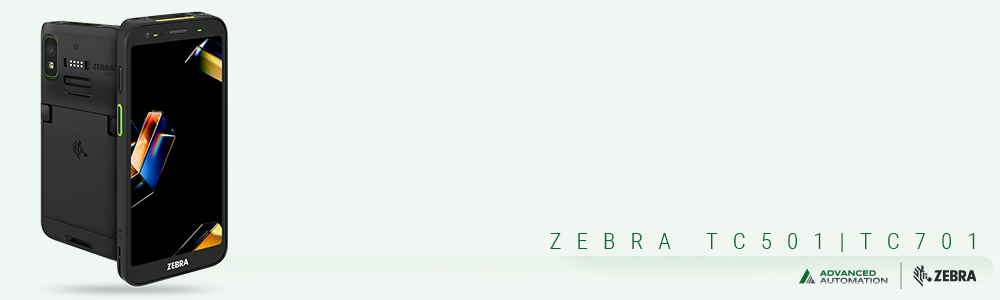
Zebra TC501 and TC701 Mobile Computers
Wi-Fi 7 | Built-in RFID | Dragonwing AI processor | 1500-nit AMOLED | Hot swap battery
Both devices pair directly with the ZQ600 Plus series via Bluetooth. Shared standard battery (BTRY-TC5A7A-SC-01) simplifies fleet management across both device types.
View TC501 and TC701 →
Questions People Ask
Do we need special software to make the TC501 print to the ZQ630 Plus?
You need a printing application on the TC501 that sends print jobs to the ZQ630 Plus. Zebra's own Zebra Printer SDK for Android, available free from Zebra's developer portal, is the standard path for building this into a custom WMS or workflow application. If you're using an existing WMS that already has Zebra mobile printer support built in, it likely handles this directly without additional development. DataWedge handles the scan-to-application routing on the TC501 side.
Can the ZQ630 Plus stay connected to the TC501 while the worker moves around?
Yes. The Bluetooth connection between the paired devices maintains as long as the two are within Bluetooth range of each other, which in a typical warehouse environment is comfortable for a worker carrying both on their body. The ZQ630 Plus's instant wake-on-status means the printer is ready to receive a job the moment the scan happens, without any noticeable delay from the printer waking up from sleep.
Does the TC501's built-in RFID pair specifically with the ZQ630R Plus for RFID printing?
Yes, and this is one of the more interesting workflow possibilities with this combination. The TC501 can read an RFID tag, pull the associated data, send a print-and-encode job to the ZQ630R Plus, and then immediately verify the newly encoded tag with its built-in reader, all in one fluid workflow at the point of application. For operations implementing RFID labeling at receiving or in a distribution workflow, this closes the verification loop without any additional hardware.
If you're putting together a scan-and-print workflow and want to make sure you're specifying the right mobile computer and printer combination for your specific application, fill out the form below and we'll help you work through the pairing before you order anything.