
Why Your WMS Isn’t Communicating with Your Barcode Hardware and the Cost to Your Operation
Posted by Advanced Automation on Apr 17th 2026

By Advanced Automation, Inc. | Warehouse Technology | WMS Integration & Device Management
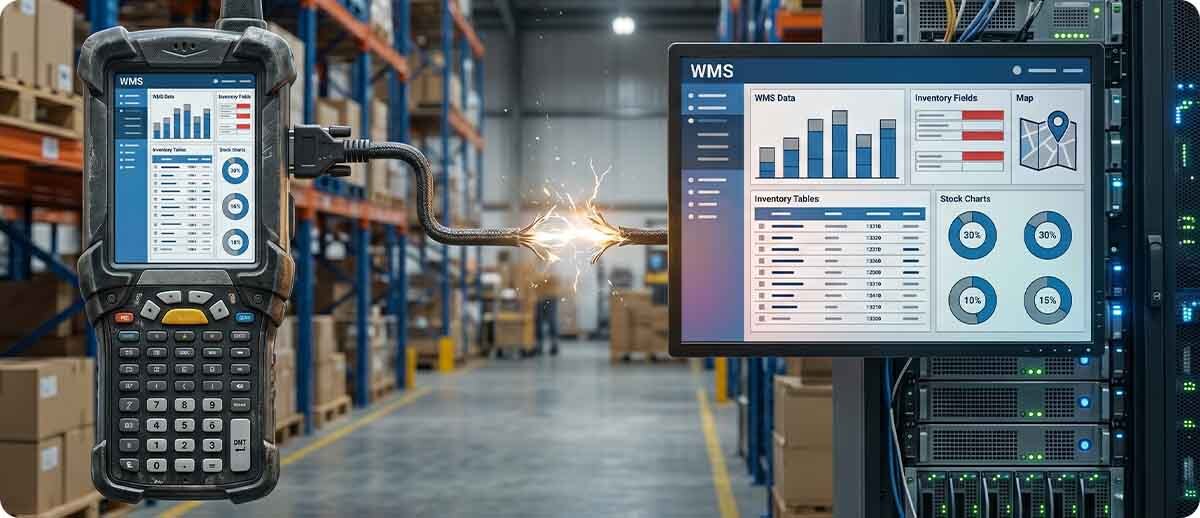
The integration between barcode hardware and warehouse management systems is one of the most consistently underestimated technical problems in warehouse and distribution operations. It's underestimated partly because it's invisible when it works and ambiguous when it doesn't — a dropped scan session looks like a network problem, a data format mismatch looks like a user error, a label that won't parse looks like a bad print job. The root cause is often none of those things. It's an integration gap that nobody owns.
This piece covers the five most common points where WMS and barcode hardware stop talking cleanly, what the breakdown costs in operational terms, and what the integration layer actually looks like when it's working correctly. The goal is practical: if you're experiencing unexplained scan failures, WMS transaction errors, or a recent Android migration that hasn't delivered the productivity gains it was supposed to, this is the diagnostic map.
Why the Gap Exists in the First Place
Barcode hardware and WMS platforms are developed and sold by entirely separate organizations with entirely separate development cycles. A WMS is purchased, configured, and often significantly customized for a specific operation over months or years. Barcode hardware — mobile computers, scanners, printers — is replaced on a 4-7 year refresh cycle, often by a different team than the one that implemented the WMS. The two sides of the system are rarely evaluated together at the time of either purchase.
Between them sits a layer that most operations never formally architect: the communication layer that moves scan data from device to WMS, renders WMS instructions on device screens, manages device sessions when network connectivity fluctuates, and formats label data from WMS triggers to printer output. In older deployments this layer was often a telnet/terminal emulation client running on Windows CE devices — a setup that worked reliably for 15-20 years because the technology stack was stable. Windows CE end of life in 2023 forced the migration to Android, and the stability assumption broke.
Android is a fundamentally different operating environment than Windows CE. The old TE client doesn't run on Android natively. The new device's scan engine data format may differ from what the WMS was configured to receive. The session persistence behavior of a modern Android device differs from the legacy device. And somewhere in the middle of all of this, the operation is trying to keep running.
The Five Integration Gaps — and What Each One Costs
Gap 1: The Android Migration That Broke Terminal Emulation
This is the most common and most disruptive integration failure in warehouse operations right now. The device refresh was overdue — Windows CE was end-of-life, the old hardware was failing — so the operation purchased new Android mobile computers. The new devices are faster, have better screens, and support modern wireless standards. But the WMS was built for telnet, and the terminal emulation client that connected the old Windows CE devices to the WMS either doesn't run on Android or runs poorly enough that the workflow breaks.
The symptoms: workers can't log into the WMS on new devices. Session timeouts are happening at random. Screen rendering on the new device doesn't match the keyboard shortcuts workers have used for years. The "green screen" that workers knew exactly how to navigate looks different, and the physical keypad on the new device doesn't map to the function keys the WMS expects. Some transactions work; others fail silently.
The fix is not going back to Windows CE — that platform is dead, and devices running it are deteriorating daily. The fix is a proper terminal emulation client for Android: either Ivanti Velocity (powered by Wavelink, which has been connecting mobile devices to WMS platforms for 30 years) or StayLinked SmartTE, which has been operating in this space for nearly two decades and maintains session persistence across dropped connections, device reboots, and battery swaps. Both solutions interface with your existing WMS without requiring any changes to the host application — the WMS continues to speak telnet; the TE client handles the translation to Android.
What this gap costs: Operations running a broken Android migration typically see 15-30% productivity loss in affected workflows during the transition period. Workers who can't trust their devices revert to paper or manual verification, which produces its own error rate. IT spends hours troubleshooting individual device sessions instead of managing the fleet. In high-volume picking or receiving operations, one shift of degraded device performance is a measurable revenue impact.
Gap 2: Scan Data Format Mismatches
A barcode scanner captures a string of characters. What it sends to the WMS — and how — depends on configuration at the device level: symbology settings, prefix/suffix characters appended to the scan output, inter-character delays, and how the scan data is transmitted (keyboard wedge, Bluetooth HID, decoded output over a network connection). A WMS configured to receive a specific format expects exactly that format. If it receives something slightly different — an extra character, a missing prefix, a different encoding — the transaction fails, often silently.
This happens most often when new scanners or mobile computers are added to a fleet without a complete review of the existing WMS input configuration. The previous scanner was configured years ago with a specific prefix character that the WMS uses to identify the scan source. The new scanner ships with factory defaults that omit that prefix. Every scan from the new device fails WMS validation. The worker sees an error. IT sees a report of transaction failures. Nobody connects it to the scanner configuration change.
A related version of this problem: the WMS was built to receive GS1-128 barcode data in a specific field sequence. A new label template — created after a supplier change or a labeling compliance update — encodes the same data in a different field order. The scanner reads the barcode correctly, but the WMS parses the data into the wrong fields. Inventory is received against the wrong lot number. The error isn't discovered until a physical count or a customer complaint.
What this gap costs: Data format mismatches produce inventory discrepancies that don't announce themselves immediately. They accumulate in the background — wrong lot numbers, incorrect quantities, misattributed locations — until a count, an audit, or a customer escalation surfaces them. Depending on the industry and the specific error type, the downstream cost can range from re-work to regulatory non-compliance.
Gap 3: Label Format Disconnected from WMS Data
The WMS is the authoritative source for label data: lot numbers, expiration dates, quantities, location codes, and order information. Labels should print from WMS triggers — when a receiving transaction completes, when a pick is confirmed, when a shipment is staged. In well-integrated operations, this is exactly what happens: the WMS fires a print event, the label management system generates the label from the current WMS data, and the printer produces the label. No manual data entry. No template copies floating on local workstations. No risk of printing yesterday's lot number on today's product.
In many operations, this integration is partial or broken. Labels are designed in ZebraDesigner or a similar tool, saved locally on a PC near the printer, and printed manually by a worker who types the relevant information. The WMS and the printer aren't connected at all — the worker is the integration layer. This creates multiple failure modes: the worker types the wrong lot number, the label template is outdated, the local PC has an old version of the template, or the worker simply skips printing because the process is slow.
Label management platforms like Zebra's ZBI (Zebra Basic Interpreter) or enterprise label software connected to the WMS via standard APIs (SAP, Oracle, Microsoft Dynamics connectors) close this gap by making the printer a WMS output device rather than a standalone station. When the WMS fires the print event, the right data, the right template, and the right printer are specified automatically. Label software like Loftware — which Advanced Automation is an authorized partner for — provides SAP-certified, Oracle-certified, and Microsoft Dynamics-certified connectors that handle this integration at enterprise scale.
What this gap costs: Manual label printing driven by human data entry produces error rates measured in percentage points per shift — not decimal fractions. In pharmaceutical, food and beverage, and automotive supply operations where label accuracy is a compliance requirement, a disconnected label workflow is a regulatory liability. In general distribution, it's a source of inventory accuracy problems that are expensive to find and expensive to fix.

Gap 4: Device Management Blind Spots
The WMS knows what transactions are happening. IT knows (sometimes) which devices are online. But neither system reliably knows whether a specific device's scan engine configuration has drifted from the standard, whether a device's firmware is three versions behind, whether a specific mobile computer has a battery that's degrading and dropping sessions mid-shift, or whether a device that's been "offline" for two hours is dead, lost, or sitting in a locker.
This visibility gap becomes a management problem. When a warehouse manager reports that "the scanner on dock 4 keeps dropping sessions," IT can't correlate that symptom to a specific device identifier, a firmware version, a network access point, or a battery health metric without physically locating and examining the device. The troubleshooting process is manual, time-consuming, and often ends with "we replaced the device and it seems fine now" — which isn't a diagnosis.
Zebra's Mobility DNA suite — specifically VisibilityIQ and Device Tracker — addresses this gap for Zebra fleets by providing real-time device health, battery analytics, firmware version tracking, and physical device location. Honeywell's Operational Intelligence provides equivalent capabilities for Honeywell fleets. Both platforms give IT a dashboard view of fleet health that makes it possible to identify a failing battery, a misconfigured scan engine, or a device running outdated firmware before the failure affects a shift — rather than after.
What this gap costs: A warehouse with 50 mobile computers and no centralized device management is running a fleet it cannot see. Industry analysis consistently finds that unmanaged enterprise device fleets run 15-25% of their devices in a degraded state at any given time — older firmware, declining batteries, misconfigured settings — with the degradation invisible until a device fails during a shift. The cost of mid-shift device failures is a combination of direct downtime, supervisor time to troubleshoot, and the transaction errors that occur when workers fall back to manual processes.
Gap 5: Network Infrastructure as the Hidden Bottleneck
New devices running Wi-Fi 6E are deployed into a warehouse with Wi-Fi 5 access points — or worse, an aging 802.11n infrastructure. The devices are capable of far better performance than the network can deliver. Workers experience intermittent connection drops in high-rack aisles, long transaction times at the far end of the facility, and session timeouts that appear random but correlate precisely with specific AP locations. The hardware gets blamed. The real problem is that nobody evaluated whether the existing wireless infrastructure could support the new devices and the new WMS transaction volume.
This gap is particularly acute in facilities that have expanded — added square footage, added mezzanines, added dock doors — without upgrading the wireless coverage plan. The original AP placement was designed for a smaller facility with lower device density. The current facility has dead zones, interference zones, and roaming handoff delays that translate directly into dropped WMS sessions and re-scan requirements.
A proper device deployment includes a wireless site survey before hardware is selected, not after devices are already deployed and users are complaining. The site survey maps coverage, identifies dead zones, and recommends AP placement and specifications that match the planned device count and WMS transaction volume. Skipping this step is a common cost-cutting decision that reliably results in post-deployment remediation that costs more than the site survey would have.
What this gap costs: Network-driven scan failures in a picking operation add seconds to every transaction that requires a retry. In a facility processing 5,000 picks per shift, an average of 3 seconds of added latency per pick is 4+ hours of lost productivity per shift. Across 250 operating days, that's more than 1,000 hours per shift level — a staffing and throughput impact that far exceeds the cost of a wireless infrastructure upgrade.
What a Properly Integrated System Actually Looks Like
When the hardware-to-WMS integration is working correctly, each layer does exactly one thing and does it reliably:
The scan engine is configured with the correct symbologies, prefix/suffix settings, and output format for the specific WMS input requirements. This configuration is pushed from a central MDM platform — not set manually on individual devices — so every device in the fleet is identically configured, and any drift from standard is immediately visible.
The middleware layer — whether terminal emulation (StayLinked SmartTE or Ivanti Velocity) or a modern web client (StayLinked SmartBrowser) — handles the session between the device and the WMS. It maintains session persistence across network interruptions, device reboots, and battery swaps. Workers never lose a transaction mid-process because the device briefly lost its Wi-Fi connection.
The label system is connected to the WMS as a triggered output — when the WMS fires a print event, the label management system generates the correct label from current WMS data and routes it to the correct printer. No manual data entry at the label level. No disconnected local templates. The printer is a WMS output device, not a standalone workstation.
The device management platform gives IT real-time visibility into fleet health — battery status, firmware version, scan engine configuration, device location, and session activity — with alerting for devices that are degrading before they fail. Firmware updates, configuration changes, and application deployments are pushed centrally, not performed physically on individual devices.
The wireless infrastructure was designed for the facility's current footprint and device count, with coverage validated by a site survey before deployment. AP placement, channel configuration, and roaming parameters are set for the device types in use and the WMS transaction volume expected.
None of these layers are exotic. All of them are available from established vendors, most of which Advanced Automation represents and has deployed in facilities across the region. What's missing in most operations isn't the technology — it's the deliberate integration design that connects the layers and makes them function as a system rather than as a collection of independently purchased components.
The Diagnostic: Which Gap Is Costing You?
Most operations experiencing WMS/hardware integration problems can identify the primary gap by looking at where the symptom first appears:
| Symptom | Most Likely Gap | First Step |
|---|---|---|
| Workers can't log into WMS on new Android devices | Gap 1 — TE client missing or wrong | Evaluate Ivanti Velocity or StayLinked SmartTE |
| WMS transaction errors on specific barcode types or new labels | Gap 2 — scan data format mismatch | Audit scanner symbology and output configuration vs. WMS input spec |
| Label errors, wrong lot numbers, outdated data on labels | Gap 3 — label system not connected to WMS | Map current label workflow: who enters data, where templates live |
| Can't tell which device is causing which problem; random failures | Gap 4 — no device management visibility | Audit MDM coverage; check if Zebra DNA or Honeywell OI is deployed |
| Session drops and slow transactions in specific areas of the facility | Gap 5 — wireless infrastructure | Map problem locations against AP placement; conduct site survey |

Frequently Asked Questions
We just bought new Zebra devices and productivity went down, not up. Why?
This is one of the most common post-deployment experiences in warehouse Android migrations, and it's almost never the hardware's fault. New Android devices typically perform poorly immediately after deployment when the middleware layer (terminal emulation client, device management configuration, scan engine settings) hasn't been properly set up for the new platform. The device is faster and more capable than its predecessor, but if the communication layer to the WMS is broken or degraded, the worker experience gets worse, not better. A proper migration plan addresses the TE client, scan configuration, MDM enrollment, and wireless validation before devices go to the floor — not after.
Our WMS vendor says the integration problem is a hardware issue. Our hardware vendor says it's a WMS configuration issue. Who's right?
Usually, neither is entirely right and neither is entirely wrong — the problem lives in the integration layer between the two, which neither vendor owns. This is the structural gap that makes WMS/hardware integration problems so difficult to resolve through normal vendor support channels. A partner who understands both sides — who has configured mobile devices for WMS connectivity and has visibility into where scan data format, TE session, and device configuration issues actually originate — is better positioned to diagnose and resolve these problems than either vendor working in isolation.
We're still on Windows CE devices and haven't migrated yet. What should we do first?
Start with the middleware evaluation before selecting new hardware. Understand what terminal emulation client your WMS uses today (Ivanti Wavelink, StayLinked, a custom client), confirm whether a supported Android version of that client exists, and determine whether your WMS vendor supports the Android TE path. Then select hardware that is compatible with your chosen TE solution and your WMS's connectivity requirements. Selecting hardware first and figuring out the middleware after is the most common sequencing mistake in Windows CE migrations — it's why so many operations end up with new devices that don't connect properly to their existing WMS.
How do we know if our wireless infrastructure can support a device refresh?
Commission a wireless site survey before purchasing new devices — not after. A site survey identifies coverage gaps, interference sources, AP roaming handoff delays, and channel utilization. It also validates whether your current AP hardware can support the wireless standards your new devices use (Wi-Fi 6 or Wi-Fi 6E on current-generation Zebra and Honeywell devices). If your APs are 802.11ac (Wi-Fi 5) or older and you're deploying Wi-Fi 6E devices, you will not see the full performance improvement the new hardware is capable of. The site survey tells you this before you've deployed 50 devices and discovered the problem operationally.
Is Zebra DNA actually worth it for device management, or is a standard MDM sufficient?
For Zebra device fleets, Zebra DNA adds meaningful capabilities that a standard MDM (Microsoft Intune, VMware Workspace ONE) can't replicate: scan engine configuration management, battery health analytics via PowerPrecision, device location tracking even when devices are powered off (via BLE), and Zebra-specific diagnostics that surface hardware-level issues a generic MDM won't see. The combination of a standard EMM for policy and security management plus Zebra DNA for device-specific operational intelligence is the recommended approach for most Zebra fleets. For Honeywell fleets, Honeywell Operational Intelligence serves the equivalent function.
The integration gap between barcode hardware and WMS is one of those problems that tends to get tolerated rather than solved — because solving it requires someone who understands both sides. If you're experiencing unexplained scan failures, transaction errors, or a device migration that hasn't delivered what it was supposed to, our team has diagnosed and resolved these problems across a range of warehouse and distribution environments. Fill out the form below and let's take a look at where your system is breaking down.