
When to Repair Your Barcode Printer and When to Replace It: A Total Cost Decision Guide
Posted by Advanced Automation on May 14th 2026

By Advanced Automation, Inc. | Printer Fleet Management | Repair vs. Replace Decision Guide
Advanced Automation has been repairing Zebra printers for over 25 years. Our certified technicians have seen every failure mode a thermal printer produces, from failed media sensors and worn platen rollers to burned mainboards and damaged cutter mechanisms. We also sell the replacement printers that go in when a repair does not make sense. That dual perspective gives us a clear view of where the repair-versus-replace line actually sits, and it is not always where operations managers expect it to be.
The default assumption in most operations is that repairing is always cheaper than replacing. That is true at the component level for a printer that is relatively young and experiencing its first failure. It becomes less true as a printer ages, accumulates multiple failure modes, and approaches the end of its manufacturer support window. The calculation is not complicated once you know what to put into it, and making the right call consistently across a fleet of 10, 20, or 50 printers has a meaningful impact on total cost over a 5-year period.
The 50 Percent Rule: Where the Framework Starts
The standard industry starting point for the repair-versus-replace decision is the 50 percent rule: if the cost of repair exceeds 50 percent of the cost of a comparable replacement printer, replacing is generally the better financial decision. This rule exists because a repair addresses the current failure but does not address the wear and aging of all the other components in the printer. A printer that needs a $600 mainboard repair on a printer that costs $1,100 to replace new is spending 55 percent of the replacement cost to keep running a unit whose other components are as old as the part that just failed.
The 50 percent rule is a useful starting point but not a complete answer. It does not account for printer age relative to its expected service life, parts availability for older models, or the operational cost of repeated repairs on a unit that is developing a pattern of failures. Those factors modify the calculation significantly and are covered in the sections below.
As a practical reference point for the math:
| Printer Class | Typical Replacement Cost (New) | 50% Threshold (Repair Cap) |
|---|---|---|
| Desktop (ZD421, ZD621, PC43) | $400 to $800 | $200 to $400 |
| Mid-range industrial (ZT231, ZT411) | $1,200 to $1,800 | $600 to $900 |
| High-end industrial (ZT610, ZT620, PM45) | $2,000 to $3,500 | $1,000 to $1,750 |
| Legacy desktop (GK420, GX420, LP2844) | Discontinued (used/refurb only) | Use caution — see parts availability section |
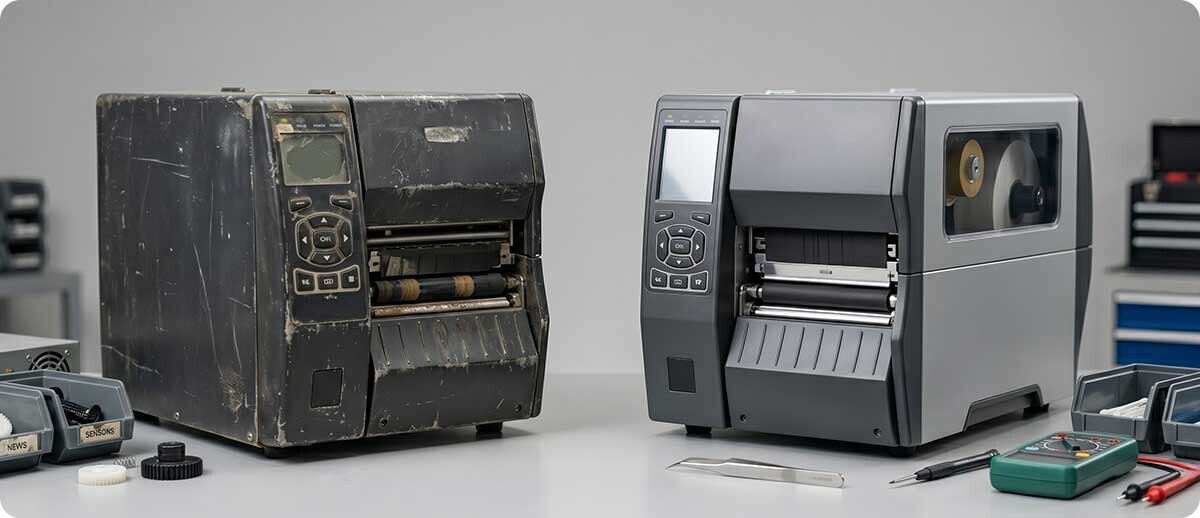
The Five Signals That Point Toward Replace
Any one of these signals shifts the repair-versus-replace calculation toward replacement. More than one signal at the same time is a strong indication that repair is the wrong investment.
Signal 1: The Printer Has Had Multiple Repairs in the Past 18 Months
A single repair on a well-maintained printer is a normal maintenance event. Two repairs within 18 months on the same unit, or the same repair recurring on a unit that was already fixed once, is a pattern. Components in thermal printers wear together. A printer whose platen roller failed last year and whose mainboard is failing now is showing signs of systemic wear, not isolated component failure. Paying to repair the current failure does not reset the wear clock on everything else in the machine.
The useful exercise for any printer with a repair history is to add up the total repair cost over the past three years and compare it against the new replacement cost. Operations that have spent $900 repairing a printer that costs $1,400 to replace new have effectively paid 64 percent of the replacement cost in repairs, without getting the warranty, the current firmware, the modern connectivity, or the remaining service life of a new unit. The math often looks different when the full repair history is on the table rather than just the current invoice.
Signal 2: The Printer Is Past Its Useful Service Life
Thermal printers have expected service lives that vary by class and daily volume. Desktop printers in low-to-moderate volume applications typically last 3 to 5 years before component wear becomes a consistent maintenance burden. Industrial printers at moderate volume typically last 5 to 7 years. High-volume industrial deployments compress those timelines proportionally.
A printer at year 6 or 7 of its service life that requires a significant repair is not a printer that will perform reliably for another 3 years after that repair. It is a printer whose service life is ending. The repair might buy 6 to 12 months of continued operation. Whether that additional period is worth the repair cost depends on what is in your capital equipment budget and how critical the printer is to operations, but the decision should be made with the realistic remaining service life in mind rather than the assumption that a repaired printer is restored to full longevity.
Signal 3: The Printer Model Is Discontinued and Parts Are Getting Scarce
Zebra typically supports printer models for approximately 5 years after discontinuation, meaning parts and service documentation remain available through that window. Once a model passes its end-of-service date, parts availability depends on whatever existing inventory remains in the supply chain. For models that have been out of production for many years, specific components may simply not be available.
The models where parts availability is a growing concern include the GK420D and GK420T, GX420D and GX420T, ZP450, LP2844, LP2824, and the older Xi-series industrial printers (105SL, 170Xi4, 220Xi4). Operations still running these models should treat any significant repair as a replacement trigger rather than an extension of the printer's life, because the next repair may not be possible to complete regardless of cost. Keeping a legacy model alive through one repair only to face a parts-unavailable failure 8 months later is a worse outcome than replacing at the first significant failure.
Signal 4: The Failure Is in a High-Cost Component on a Low-Cost Printer
Not all repairs on the same printer cost the same. A platen roller replacement on a ZD421 costs a fraction of a mainboard replacement on the same printer. The 50 percent rule applies at the repair-quote level, not at the printer class level. A $350 mainboard failure on a printer that costs $550 to replace new exceeds the threshold and points toward replacement regardless of the printer's age. A $60 platen roller replacement on the same printer does not even approach the threshold and should be repaired without hesitation.
The components that most commonly exceed the 50 percent threshold on desktop printers are mainboards and control panel assemblies, where the parts cost alone can approach or exceed half the printer's replacement value before labor is added. On industrial printers, a major motor failure or a damaged cutter mechanism on an older unit can similarly push toward the replace decision even though the printer class has a higher replacement cost ceiling.
Signal 5: A New Printer Delivers Capabilities That Address Current Operational Problems
This signal is different from the others because it is not purely about cost. If the printer being considered for repair is a model that lacks a wireless connectivity option your operation now needs, does not support the label management software you are deploying, or cannot be managed through the MDM platform that now covers the rest of your fleet, the repair cost buys you continued operation of a printer that does not fit your current infrastructure. A new printer at the same or similar cost buys you a device that fits the infrastructure and does not require workarounds.
The most common version of this scenario is an older printer without a Wi-Fi radio, where the operation has moved to wireless-only printer management and the wired connection the old printer requires creates a workflow exception. Or a printer that does not support the current version of the label management software being deployed enterprise-wide, requiring a manual printing workflow that introduces data entry errors. In both cases, the repair cost extends the life of a device that is creating operational friction even when it is working correctly.
The Five Signals That Point Toward Repair
The case for repair is equally clear when the right conditions are present. These signals indicate that repair is the correct financial decision and that replacement would be premature.
Signal 1: The Printer Is Relatively Young and This Is Its First Significant Failure
A 2-year-old industrial printer experiencing its first component failure is a strong repair candidate. The printer has most of its service life ahead of it. The failure is likely isolated rather than indicative of systemic wear. A repair at 30 to 40 percent of replacement cost restores a unit that has significant remaining value and useful life. This is the clearest repair case and the one where the 50 percent rule is most reliably a complete answer.
Signal 2: The Failure Is in a Consumable or Wear Component
Some components are designed to wear and be replaced as part of normal maintenance. Platen rollers, printhead assemblies, cleaning rollers, and cutter blades are consumable components whose failure does not indicate broader printer problems any more than a worn tire indicates that a car needs to be replaced. These repairs should be performed without applying the 50 percent rule because they are maintenance events, not failure events. A printhead replacement on a ZT411 at 3 years is expected. It should not trigger a replacement conversation regardless of the cost.
Signal 3: The Printer Fits Current Infrastructure and Software
A printer that connects correctly to your current network, is supported by your label management software, can be managed through your MDM or print management platform, and produces output that meets your current quality requirements is a printer worth maintaining. The operational friction test cuts both ways. A printer with none of those friction points is worth repairing at a cost that makes financial sense. A new printer in the same class at its current price provides no operational improvement over a repaired unit that already fits the environment.
Signal 4: The Printer Is a Specialized Configuration That Is Difficult to Replace
Some printers are not easily replaced on a one-for-one basis because their specific configuration addresses a specialized requirement. A ZT411 in a 600 DPI configuration for pharmaceutical micro-label printing, a ZD421 in a healthcare configuration, or a ZT610 with an RFID encoder and rewind module are configurations where a replacement requires not just purchasing a new printer but reconfiguring, revalidating, and reintegrating the replacement into the workflow. The total cost of replacement for these units includes installation and validation time, not just the hardware cost. That makes the repair threshold higher in practice even if the hardware-only math is ambiguous.
Signal 5: The Repair Can Be Done Quickly and Downtime Cost Is High
In production-critical printing environments, the cost of printer downtime can exceed the cost of either repair or replacement in a matter of hours. A production line waiting on a printer generates cost at the line's throughput rate for every hour the printer is down. If a repair can be completed within 24 to 48 hours while a replacement printer requires 3 to 5 business days to procure and configure, the repair has a time value that does not appear in the repair-versus-replace cost comparison but is real and significant. This is one reason keeping a spare printer or a repair service relationship with fast turnaround is operationally valuable independently of the repair-versus-replace decision on any individual unit.

The Fleet-Level View: Where the Real Savings Are
The repair-versus-replace decision on a single printer is a tactical question. The same decision applied consistently across a fleet of 20 or 50 printers is a strategic one, and the savings from making it correctly at fleet scale are significantly larger than the savings on any individual unit.
Fleet-level printer management that most operations do not practice but should: assign a purchase date and a target end-of-life date to every printer in the fleet. Track repair events and cumulative repair cost per unit. Set a policy for when any unit that crosses the repair cost threshold triggers a replacement order rather than a repair order. Review the fleet annually against the age and repair history data to identify units approaching end-of-life before they fail, so replacements are planned purchases rather than emergency purchases.
Emergency printer replacements cost more than planned replacements for two reasons. First, the urgency often requires expedited shipping or acceptance of a non-optimal configuration because the preferred configuration is not in stock. Second, the IT and operations time required to reconfigure and redeploy an emergency replacement is unplanned, pulling resources from other work during an already disruptive downtime event. A planned replacement absorbs neither of those costs.
The practical fleet review question for any printer approaching 5 years of service: if this printer fails tomorrow, do we repair it or replace it? If the answer is replace, why are we waiting for a failure to trigger that decision? Replacing on a planned schedule before failure rather than after means the old printer comes out of service on your timeline, the new printer is configured in advance, and there is no production disruption. The financial outcome is the same. The operational outcome is significantly better.
The Quick Decision Framework
| Question | If Yes | If No |
|---|---|---|
| Does repair cost exceed 50% of replacement cost? | Lean toward replace | Continue evaluating |
| Has the printer had 2 or more repairs in the past 18 months? | Lean toward replace | Continue evaluating |
| Is the printer model discontinued with parts availability concerns? | Replace | Continue evaluating |
| Is the printer past 5 years of service at moderate-to-high volume? | Lean toward replace | Continue evaluating |
| Does the printer create operational friction in your current environment? | Replace | Continue evaluating |
| Is this the first failure on a printer under 3 years old? | Repair | Apply remaining questions |
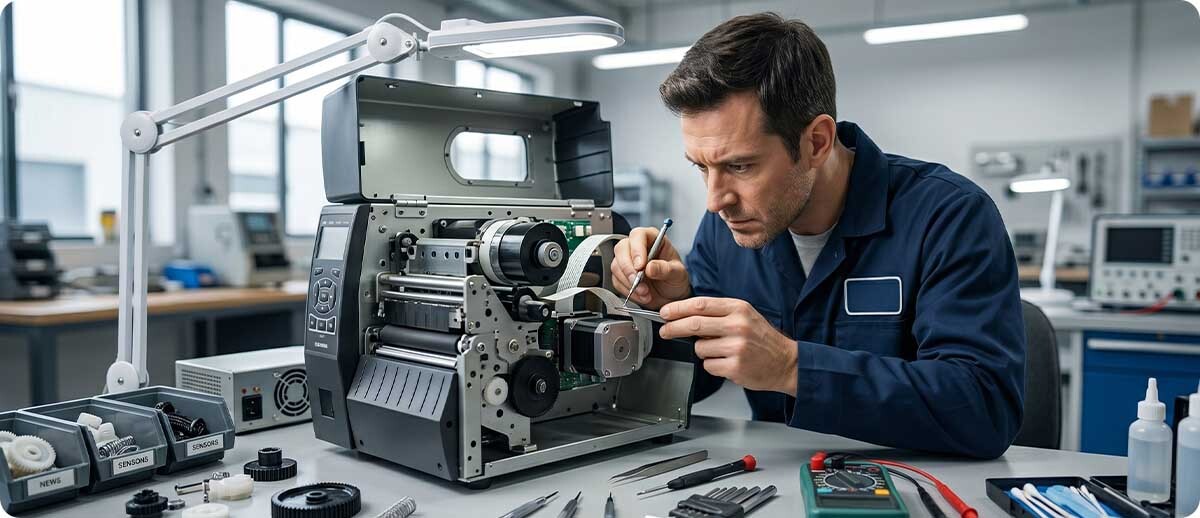
When AA's Repair Service Is the Right Call
Advanced Automation's repair service handles Zebra printers across the full desktop and industrial lineup. Our Zebra-certified technicians diagnose, repair, and return printers with a documented service record of what was found, what was replaced, and what was tested before return. The repair service (SVC-REP-AA on the AA site) is the right call when the printer passes the decision framework above and the failure mode is within the scope of depot repair.
The failure types that are almost always economically worth repairing through AA's service: platen roller failures on any printer under 5 years old, sensor failures where the repair cost is well under the 50 percent threshold, cutter mechanism failures on industrial printers, and minor electronic issues such as control panel failures on printers that are otherwise in good condition. These repairs restore the printer to full function at a cost that makes clear financial sense relative to replacement.
The failure types that require careful application of the decision framework before committing to repair: mainboard failures on desktop printers (high parts cost relative to replacement value), multiple simultaneous failure modes on a unit over 4 years old, and any failure on a printer model that is discontinued with diminishing parts availability. For these situations, getting a repair quote and applying the framework above is the right first step before authorizing either a repair or a replacement order.
When the decision framework points toward replacement, AA sells the current-generation Zebra desktop and industrial printers that replace the units being retired. The ZD421 and ZD621 replace older desktop models. The ZT231, ZT411, and ZT610 replace older industrial models. In most cases, new replacement printers can be configured to match the existing label format and network integration of the units they replace, minimizing the transition effort and downtime.
Frequently Asked Questions: Printer Repair vs. Replace
How long does a depot repair typically take at Advanced Automation?
Most standard repairs are completed within 3 to 5 business days from the time the printer arrives at our facility. Complex repairs involving part sourcing for less common components may take longer. For operations where turnaround time is critical, we recommend reaching out before shipping to confirm current turnaround times and discuss whether expedited service is available for your specific failure type.
Does Advanced Automation repair non-Zebra printers?
Our primary repair expertise and certification is in Zebra printers. For Honeywell, Datamax, Intermec, and TSC printers, contact our team to discuss the specific model and failure mode. We can advise on whether the repair is within our service scope and provide a recommendation on the best path forward for non-Zebra models.
What information should I have ready when requesting a repair quote?
The printer model and approximate age, the specific failure symptom (error message, print quality issue, mechanical failure), and whether the printer has been repaired before and for what. If you have the printer's serial number, that helps us look up its service history and confirm whether it is still within any warranty period. The more detail you can provide on the failure symptom, the faster we can assess the likely repair scope and provide an accurate cost estimate.
Our printer is out of warranty. Is it still worth repairing?
Warranty status is separate from the repair-versus-replace decision. A printer out of warranty is not necessarily past its useful service life or approaching a parts availability problem. Apply the decision framework above regardless of warranty status. A 2-year-old industrial printer out of warranty experiencing its first component failure is still a strong repair candidate. The warranty affects who pays for the repair, not whether the repair makes financial sense.
We have 30 printers in our fleet. Can Advanced Automation help us assess which ones to repair and which to replace?
Yes. For fleet assessments, the most useful starting point is a list of your printer models, ages, and any known repair history. With that information, our team can apply the decision framework across the fleet and identify units that are approaching or past economical repair thresholds, units that should be targeted for planned replacement in the next 12 to 24 months, and units with remaining service life that should be maintained rather than replaced. A proactive fleet assessment costs less in total than the combination of emergency repairs and emergency replacements that result from managing a fleet reactively.
Whether you are looking at a single printer that just failed or trying to build a smarter maintenance and replacement strategy across a fleet, our team has the repair expertise and the product knowledge to help you make the right call. We have been doing this for over 25 years and we are not going to recommend a repair when a replacement makes more sense, or a replacement when a repair is the right answer. Fill out the form below and let us help you work through the decision.