
Corded vs. Cordless Barcode Scanners: Which One Is Actually Right for Your Workstation?
Posted by Advanced Automation on Jun 9th 2026
By Advanced Automation, Inc. | Barcode Scanners | Corded vs. Cordless Decision Guide
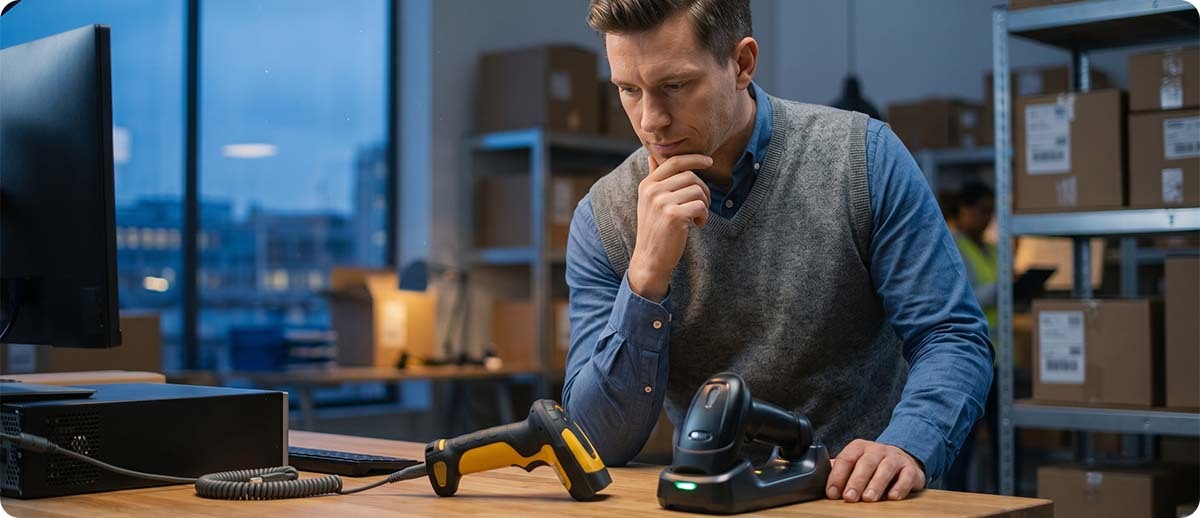
The honest answer to "corded or cordless?" is that it depends on the workflow, not the worker. Most people assume cordless is always the upgrade because untethered sounds better than tethered. That is not how it plays out in practice. Corded scanners have real advantages in high-volume fixed workstations, and cordless scanners introduce real complexity that not every operation needs to manage. The right choice is the one that matches how your workers actually move, how your WMS receives data, and what your IT team is prepared to support.
We have set up both configurations across a lot of different operations. The corded scanner that someone dismissed as old-fashioned is often the better tool for a receiving desk where a worker stands in one place and scans 800 cartons per shift. The cordless scanner that seemed like an obvious upgrade sometimes creates Bluetooth pairing headaches and battery management overhead that nobody budgeted for. Neither is better in the abstract. Both are better in the right application.
What Actually Makes Corded Scanners Worth Considering
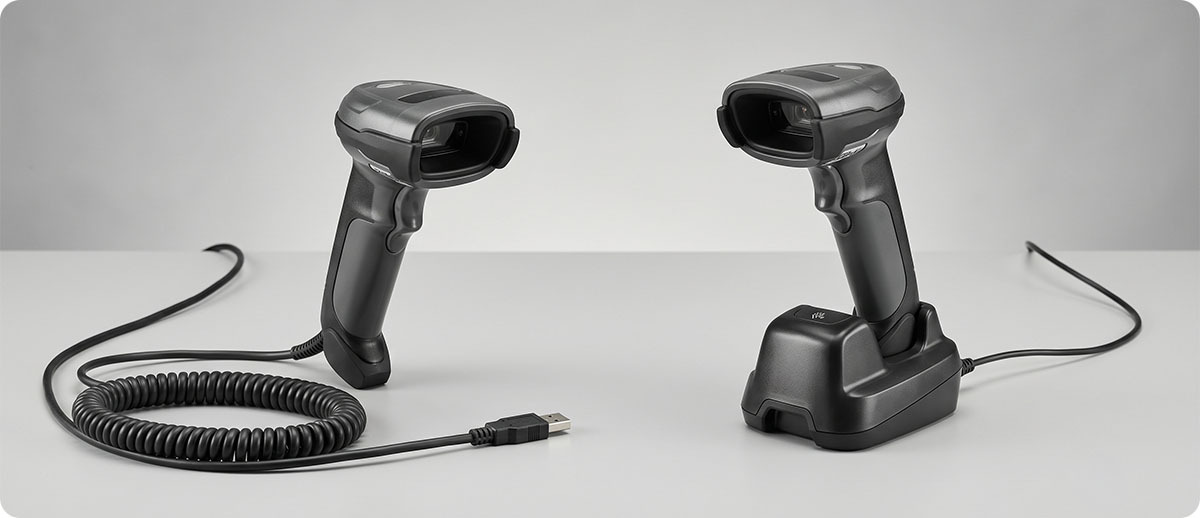
A corded scanner plugged into a USB port is about as simple as enterprise hardware gets. You plug it in, Windows or your WMS recognizes it as a keyboard or COM device, and it scans. There is no pairing sequence, no battery to charge, no connectivity settings to configure, and no Bluetooth protocol to negotiate. When it works, it requires essentially zero IT overhead. When something goes wrong, the troubleshooting list is very short: is it plugged in, is the cable intact, is the driver installed.
The data path on a corded USB scanner is also the most reliable connection type in this category. USB HID sends each scan directly to the active field in whatever application has focus, with near-zero latency. There is no Bluetooth stack to traverse, no radio frequency interference to contend with, and no pairing state to maintain. In a high-scan-rate environment where a worker is processing dozens of items per minute, that reliability adds up.
The one real downside of corded is the cable itself. In any environment where the scanner moves frequently or where the cable crosses a work surface repeatedly, USB cables wear out. The connection at the scanner head is the most common failure point, and in a high-volume receiving environment a cable might need replacement once a year or more. That is a maintenance consideration, not a dealbreaker, but it is worth factoring in when comparing total cost of ownership against cordless.
Corded scanners at Advanced Automation
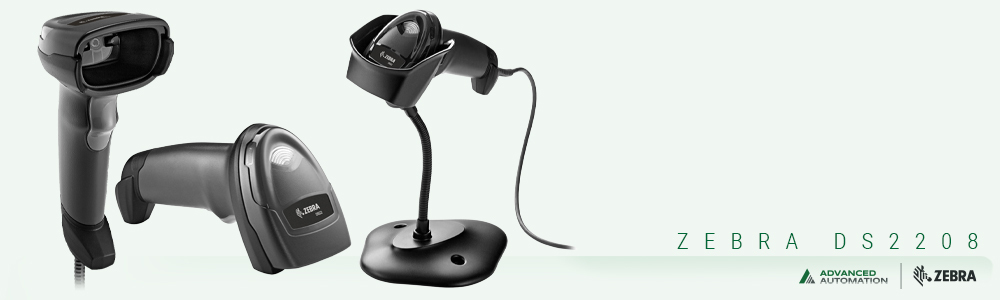
Zebra DS2208 Corded Handheld Scanner
DS2208-SR7U2100AZW (USB kit) | DS2208-SR00007ZZWW (scanner only)
The DS2208 is Zebra's mainstream corded desktop scanner for light to moderate volume workstations. Reads 1D and 2D codes including QR and Data Matrix. Simple USB HID connection, no driver required. Good starting point for any fixed workstation that does not need extended range or high-abuse durability.
View Zebra DS2208 →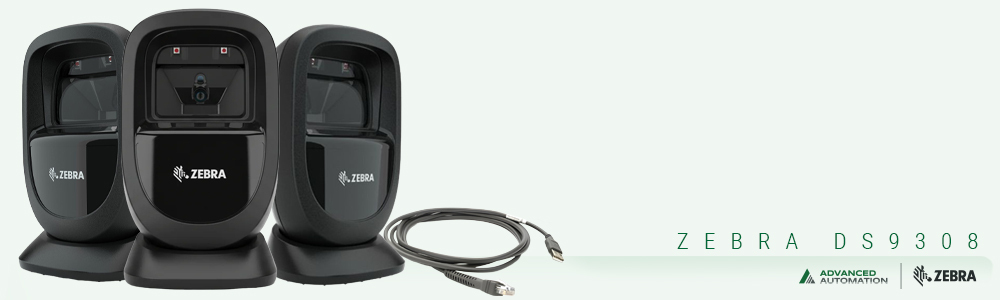
Zebra DS9308 Corded Presentation Scanner
DS9308-SR4U2100AZW (USB kit) | DS9308-SR00004ZZWW (scanner only) | DS9308-DL00004ZZNA (DL parsing)
The DS9308 is a hands-free presentation scanner for workstations where items pass in front of the scanner rather than being hand-scanned. Reads codes in any orientation at high swipe speeds. Available in a driver's license parsing configuration (DL00004ZZNA) for age verification and identity applications. Connects via USB, RS-232 (Verifone kit), or serial.
View Zebra DS9308 →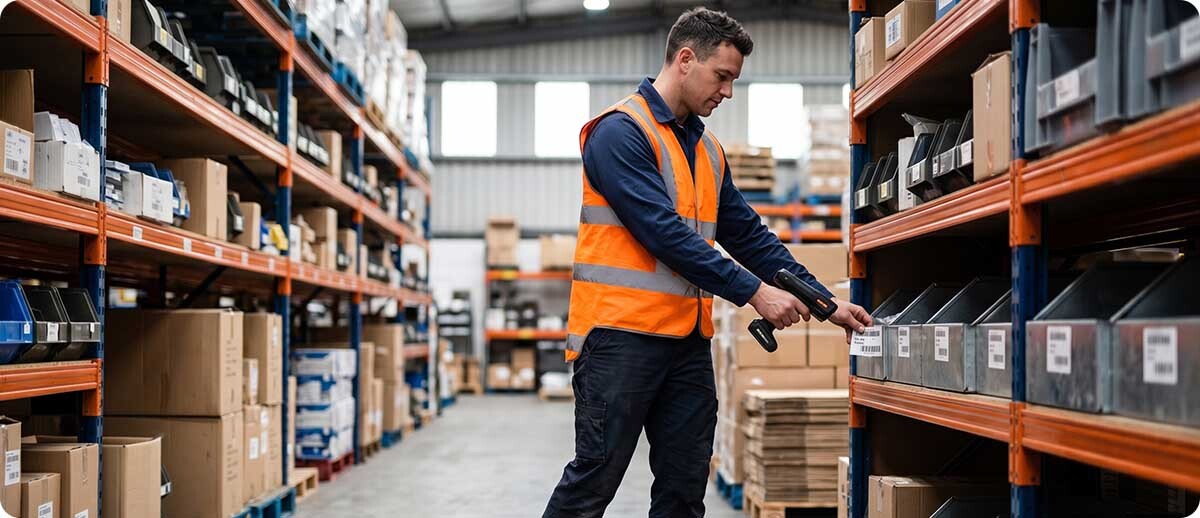
What Actually Makes Cordless Scanners Worth the Extra Complexity
The obvious benefit of a cordless scanner is that the worker is not tethered to a workstation. For workflows where workers cover ground between scans, move between locations, or need both hands free for extended periods, removing the cable makes a real difference in how the work feels and flows. A receiving worker who walks between a dock door and a staging area throughout a shift benefits from cordless in ways that a worker who stays at a shipping desk does not.
Cordless scanners also eliminate cable wear entirely. In environments where cables fail regularly because of heavy scanner use or difficult routing, switching to cordless removes that failure mode from the maintenance picture. The trade is battery management in its place, which is a different kind of overhead but one that is more predictable and easier to plan around with proper spare battery inventory and charging infrastructure.
Modern Zebra cordless scanners like the DS8178 use Bluetooth 4.0 with Zebra's SSI protocol when paired with a Zebra cradle, which delivers the fastest data transmission of any Bluetooth scanner configuration. The DS8178 uses a Class 1 Bluetooth radio with a range of up to 100 meters (approximately 330 feet) in open environments. Real-world warehouse range is typically shorter due to metal shelving, walls, and other radio interference, but for most workstation-based scanning applications the effective range comfortably covers the distance between a worker and their cradle.
One feature worth knowing about: the DS8178 supports batch mode, which stores scans locally when it is out of Bluetooth range and transmits them when the scanner returns to range. For operations where workers occasionally move into areas with no Bluetooth coverage, batch mode prevents scan data loss without requiring the worker to change behavior.
Cordless scanners at Advanced Automation
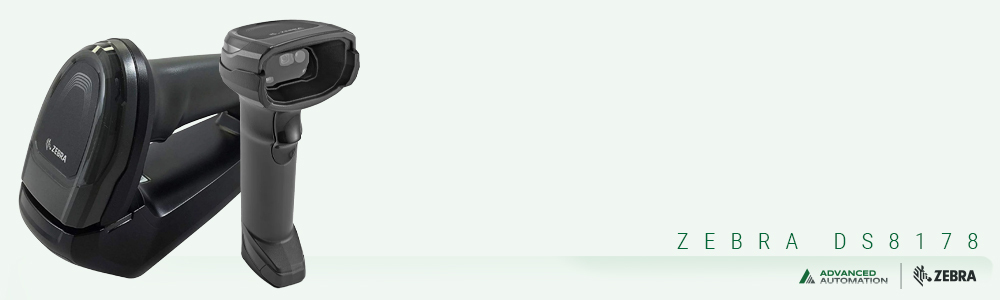
Zebra DS8178 Cordless Handheld Scanner
DS8178-SR7U2100SFW / DS8178-SR7U210SSFW / DS8178-SR7U210SPFW (USB cradle kits) | DS8178-SRSF007ZZWW / DS8178-DLSF007ZZWW (scanner only)
The DS8178 is Zebra's current flagship cordless handheld. Bluetooth 4.0 with Zebra SSI protocol via cradle, or standard Bluetooth HID for direct pairing to a PC. Standard range 33 feet, extended-range option available. 1D and 2D including DL parsing configurations. Also available in healthcare (DS8178-HC) configuration with disinfectant-ready housing. Cradle charges the scanner when not in use and acts as the Bluetooth base station for the SSI connection.
View Zebra DS8178 →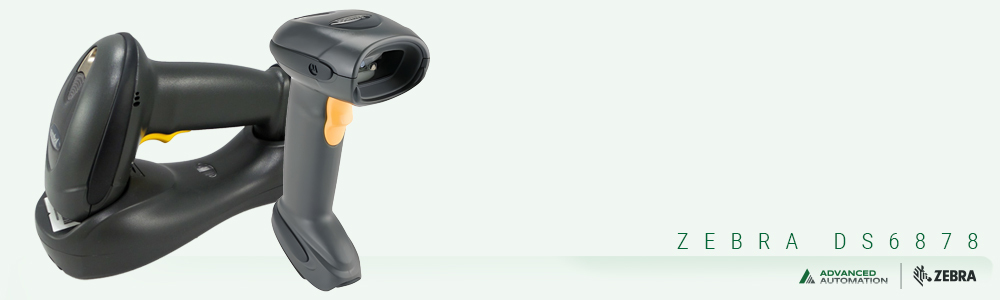
Zebra DS6878 Cordless Scanner
DS6878-TRBU0100ZWR
The DS6878 is a durable cordless option for more demanding environments where the DS8178's lighter construction may not be the right fit. Reads 1D and 2D codes and connects via Bluetooth to a USB cradle. A solid choice for operations that need cordless freedom with a bit more physical resilience in the scanner body.
View Zebra DS6878 →The Bluetooth Protocol Question Nobody Asks Until It Causes a Problem
When you buy a cordless scanner, you are also choosing how it communicates with the host computer. There are three common Bluetooth connection modes and they behave differently in ways that matter depending on how your WMS or enterprise application receives scan data.
Bluetooth HID (Human Interface Device) makes the scanner look like a Bluetooth keyboard to the computer. Scan data appears as keystrokes in whatever field has cursor focus. This is the most universally compatible mode and works with any application that accepts keyboard input. The tradeoff is a small amount of latency on each scan and the occasional quirk with special characters in barcodes being interpreted as keyboard shortcuts by the operating system. For most standard warehouse and receiving applications, HID works fine.
Bluetooth SPP (Serial Port Profile) emulates a serial COM port over Bluetooth. Applications that expect serial scanner input, including some terminal emulation environments and legacy WMS platforms, need SPP rather than HID. If your existing workflow was built around a corded serial scanner, SPP is how you replicate that behavior over Bluetooth.
Zebra SSI via cradle is Zebra's proprietary communication protocol, used when a Zebra cordless scanner pairs to a Zebra cradle connected to the host PC. SSI provides the fastest data transmission, the most reliable connection, and the best decode feedback. It also allows Zebra's DataWedge software to manage the scanner's behavior, which matters for operations running Zebra mobile computers alongside the scanner. SSI is the mode to specify when you want the best possible performance from a Zebra cordless scanner and you are willing to use a Zebra cradle as the connection point.
The practical implication: before you deploy a cordless scanner fleet, know which Bluetooth mode your WMS or application requires. It is a configuration question, not a hardware question, but it needs to be answered before deployment, not after workers discover that scan data is appearing in the wrong field or not appearing at all.
Five Workflows and Which Scanner Belongs in Each
Fixed shipping or receiving desk, high scan volume, worker stays in place. This is a corded scanner situation. The worker is not moving, so the cable is not a limitation. The corded USB connection is faster, simpler, and requires no battery management. A DS2208 or DS9308 covers this well.
Counter or workstation where items are passed in front of the scanner rather than hand-scanned. The DS9308 in presentation mode is purpose-built for this. Corded makes sense here too because the scanner stays fixed and the cable is irrelevant to the workflow.
Warehouse floor picking where a worker walks between locations and scans labels on shelves or bins. This is a cordless scanner situation. The worker covers ground between scans and does not have a fixed workstation to tether to. The DS8178 in a hip holster, paired to a cradle on a cart or at the pack station, handles this well.
Quality inspection station where the worker handles parts with both hands and scans occasionally. Either can work here, but cordless is often more practical because the worker needs both hands free for the parts between scans and placing a corded scanner down and picking it back up becomes a friction point over hundreds of cycles. A DS8178 in a holster resolves this cleanly.
Retail checkout or service counter with multiple cashiers sharing workstations. This is where the presentation scanner really earns its place. A DS9308 mounted at the counter position handles every cashier who uses that station without any pairing or handoff required. No batteries to manage, no Bluetooth connections to maintain per user, no delays when a second cashier takes over the station.
Total Cost Comparison: What to Include Beyond the Price Tag
A corded scanner typically costs less upfront than its cordless equivalent. The DS2208 is priced below the DS8178, and that gap exists across most corded-versus-cordless scanner pairs. But the upfront price is only part of the cost picture.
For corded scanners in high-use environments, factor in cable replacement costs. USB cables on working scanners in busy operations need replacement periodically. The cost per cable is low but the cumulative cost across a fleet over three years is real. Also factor in the time cost when a cable fails mid-shift and a replacement is not immediately available.
For cordless scanners, factor in the cradle cost if you go the SSI route, battery replacement costs after the battery has degraded over two to three years of charge cycles, and the IT time required to pair replacement scanners when a device needs to be swapped out. None of these costs are prohibitive, but they are real and worth including in any budget comparison.
For operations with mixed workflows, it is also worth asking whether standardizing on one type across the fleet is better than mixing. Managing two scanner types means managing two spare inventories, two sets of accessories, and potentially two IT support knowledge bases. Sometimes the right answer is to pick the type that fits the majority of your workstations and accept a small workflow compromise at the outliers, rather than optimizing every station individually and managing the resulting complexity.
Frequently Asked Questions
Can a cordless scanner be used as a corded scanner if needed?
The DS8178 can operate in a wired mode when placed in a USB cradle, using the cradle's USB connection to the PC rather than Bluetooth. In this configuration, it behaves like a corded scanner while also charging the battery. This is a useful fallback if Bluetooth connectivity is disrupted or if you want the scanner to function without Bluetooth in certain areas. It is not a permanent configuration most operations would choose, since the cordless version costs more than a purpose-built corded scanner, but the flexibility is there if needed.
How far can a cordless scanner be from its cradle and still work reliably?
The DS8178 uses a Class 1 Bluetooth radio rated up to 100 meters (approximately 330 feet) in open-air environments. In a real warehouse with metal shelving, concrete walls, and other sources of radio interference, effective range is shorter. For most workstation-based workflows where the worker moves within a defined area around their station, the practical range is more than sufficient. If workers are moving across large open areas far from any fixed cradle, the workflow is probably a better fit for a mobile computer with an integrated scanner rather than a standalone cordless scanner with a fixed cradle.
Our WMS sends a confirmation prompt after each scan. Does cordless Bluetooth introduce enough latency to cause issues?
For most WMS confirmation prompts, the Bluetooth HID or SSI latency of 20 to 100 milliseconds per scan is not noticeable in normal workflows. Where it can become a problem is in very high-speed scan sequences where a worker is scanning multiple items in rapid succession and the WMS confirmation display needs to update between each scan. If your operation runs extremely fast scan cycles and you notice that the WMS sometimes misses a scan or the display seems to lag behind the physical scan rate, switching to a corded USB scanner for that station will resolve the latency. For most operations, this is not a practical issue.
We have 20 workstations. Does it matter if each worker pairs their cordless scanner to the workstation they use that day?
It depends on how you manage the pairing. If each scanner is permanently associated with a specific cradle, workers pick up the scanner from their assigned station cradle and it is always paired. No per-shift pairing is needed. This is the simplest management model and works well when workers have consistent assigned stations. If workers float between stations and need to pair on the fly, pairing a cordless scanner to a new cradle takes about 15 to 30 seconds with a scan of the cradle's pairing barcode. That is not a significant delay, but across 20 workers doing it every shift it becomes a routine that needs to be part of the start-of-shift process rather than an ad-hoc step.
Whether you are equipping a new facility, refreshing aging scanner hardware, or trying to figure out why a scanner deployment is creating more friction than expected, we are happy to talk through the specific workflow and point you toward the right configuration. Fill out the form below and let us help you get the right scanner into the right hands.