
5 Signs Your Barcode Scanner Fleet Needs an Upgrade
Posted by Advanced Automation on Jun 22nd 2026

By Advanced Automation, Inc. | Barcode Scanners | Fleet Upgrade Checklist
Barcode scanners are one of those purchases that nobody thinks about until something goes wrong. You buy a batch, they work fine for years, and then slowly, without anyone really noticing, they stop working fine. The team just adjusts. People learn to hold the scanner at a certain angle, or rescan a couple times, or grab a different one from the drawer because "that one's better." Nobody flags it because nothing technically broke. It just got worse a little at a time.
Here are five signs we hear about constantly from customers right before they finally pull the trigger on new scanners. If two or three of these sound like your operation, it's probably time.

1. Your Team has Started Doing a "Second Scan" Without Thinking About It
This is the big one and it's almost always invisible to management until someone points it out. Watch someone scan for five minutes. If they scan, glance at the screen, and then scan again because the first one "probably didn't take," that's not a habit. That's a scanner that isn't reading reliably anymore and a team that has quietly adapted around it.
The thing about this one is it never shows up as a complaint. Workers don't usually walk into your office and say "hey, I have to scan everything twice now." They just start doing it, because humans are really good at quietly working around small annoyances. Multiply that extra half second by every scan, every worker, every shift, and you've got a real productivity number that nobody's tracking because nothing ever technically failed.
If you want to actually check this instead of guessing, just stand on the floor for ten minutes and watch. You'll know pretty quick.
2. The Scanners Can't Read the Labels Everyone Else is Sending You Now
A lot of older scanner fleets out there are still laser scanners built for 1D barcodes. That was totally fine for years because 1D was basically all anyone used. But more and more suppliers, retailers, and partners have shifted to 2D codes like QR codes and Data Matrix, especially for anything that needs to carry more information than just a basic product number. Lot numbers, expiration dates, serial numbers, that kind of thing.
A laser scanner physically cannot read a 2D code. It's not a settings issue, it's not a firmware update, it's a different kind of light doing a different kind of job. If your receiving team has started saying "this one we have to type in by hand" about specific labels, that's your laser scanners hitting a wall that a 2D imager would just sail through. And this is one that's only going to get more common as more of the supply chain moves toward 2D codes over the next couple years.
3. You're Buying Batteries Way More Often Than You Used To
Every battery loses a little bit of its max capacity every time it gets charged. That's just how batteries work, there's no fixing it. A cordless scanner battery that used to comfortably last a full shift starts needing a midday top-off, then needs charging twice a day, then just doesn't make it through a shift at all anymore.
Most manufacturers only warranty scanner batteries for about 12 months, while the scanner body itself usually carries a 3 to 5 year warranty. That gap tells you something. The battery is built to be the first thing that wears out. If you're already replacing batteries regularly and the scanner itself is getting up there in age too, you're basically paying to keep an aging device limping along instead of just replacing the whole thing and getting a fresh warranty on everything at once.
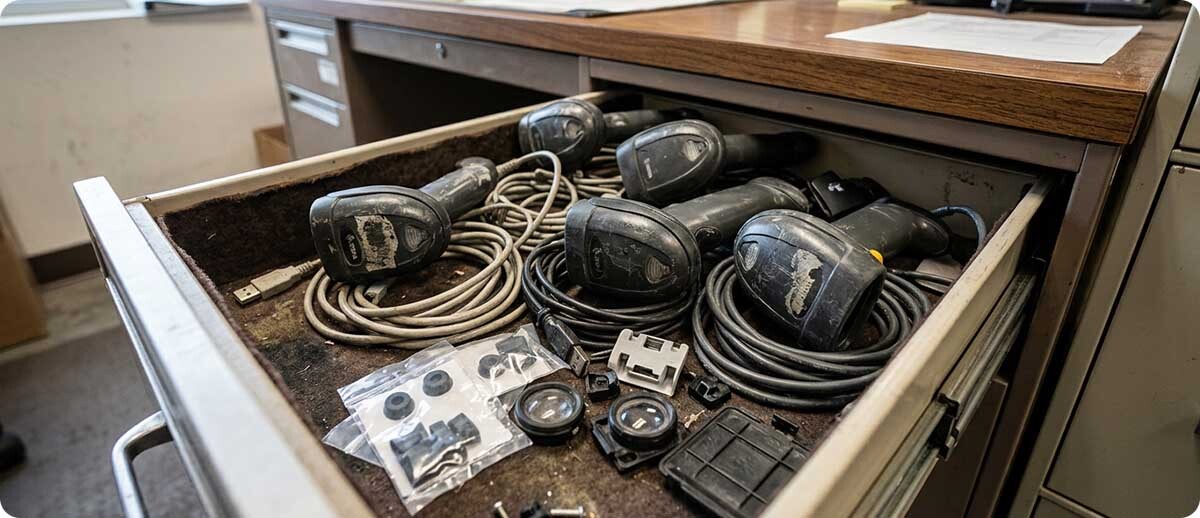
4. You've Got a Drawer of "Spare" Scanners That Are Actually Just Broken Ones Nobody Threw Out
Almost every warehouse we walk into has one of these drawers. A pile of scanners that don't quite work right, kept around just in case, because replacing them feels like a hassle nobody has time for. The scan button is sticky on one. Another one only reads if you hold it at a weird angle. A third one just won't pair anymore.
That drawer is basically a museum of devices that have already told you they're done, you just haven't listened yet. If your "backup plan" when a scanner fails is to dig through that drawer hoping something in there still works, that's not really a backup plan. That's hoping.
5. Nobody Can Remember Which Model These Even Are Anymore
This one sounds small but it's actually a real warning sign. If a scanner breaks and the first ten minutes are spent flipping it over, squinting at a worn-off sticker, and trying to figure out what model it even is so you can order a replacement part, you've got a fleet that's been around long enough that the manufacturer may have already discontinued it, or is about to.
Older models eventually lose parts availability and stop getting firmware updates. They keep technically working right up until the day a part fails and you find out it's no longer made. At that point you're not choosing whether to upgrade anymore, you're being forced into it on no notice, usually at the worst possible time.
So What Do You Actually Do About It?
You don't necessarily need to rip and replace your entire fleet on day one. Most operations we work with start by figuring out which workstations or which roles are feeling the most pain, and upgrading those first. A receiving desk that's hand-typing 2D codes all day is a different priority than a back office scanner that gets used twice a week.
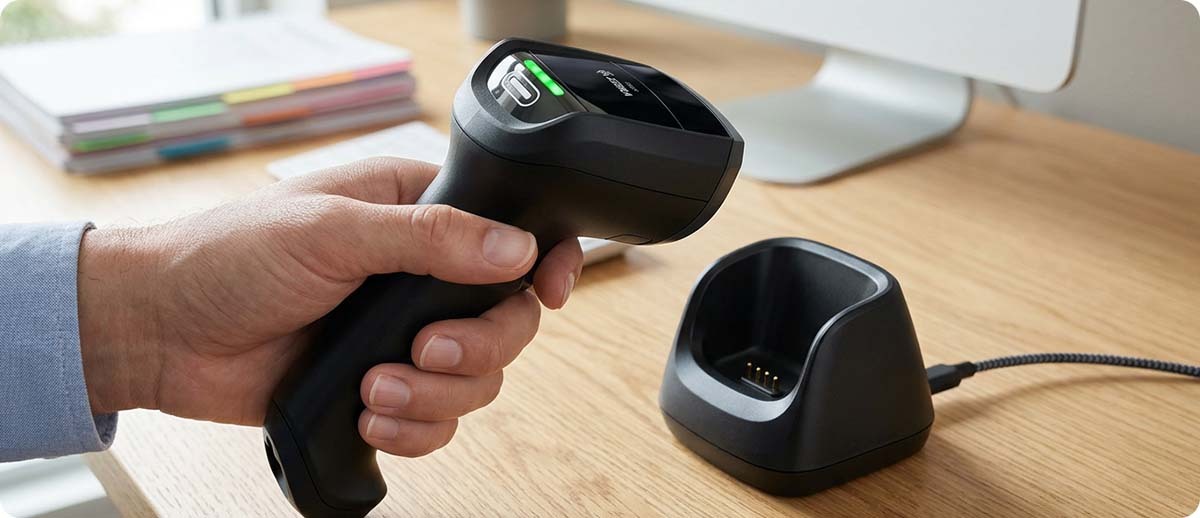
If you're mostly dealing with 1D laser scanners running into 2D codes, a straightforward imager swap like the Zebra DS2208 or DS2278 covers both 1D and 2D, handles barcodes on screens too, and won't break the budget. If your team needs to move around and a cord is the actual problem, Zebra's current cordless lineup (the DS8208/DS8288 series, which is the newer generation following the long-running DS8178) gives you Bluetooth freedom along with a serious jump in scanning range and battery life compared to most older cordless scanners. And if your environment is genuinely rough, drops, dust, the whole deal, the Honeywell Granit or Xenon series and Datalogic's rugged PowerScan line are both built to take a beating that an aging consumer-grade scanner was never designed for.
The honest truth is that scanner technology has moved forward enough in the last several years that even a modest upgrade tends to fix more than one of the problems above at once. Better imaging means fewer rescans. Better batteries mean fewer charging headaches. Current models mean parts are actually available when something does eventually go wrong.
A Few Questions People Ask Us
How do I know if it's the scanner or just dirty labels causing the rescans?
Easy way to check, grab a label you know is clean and printed well, and try scanning it on a few different scanners in your fleet. If the newer or less-used ones read it instantly but the old reliable one struggles, that points at the scanner, not the label. If every scanner struggles with the same label, it's more likely a print quality or label issue rather than the hardware.
Can I just replace the battery instead of the whole scanner?
Sometimes, yes, and if the scanner itself is still reading fine and isn't that old, a fresh battery is the cheaper move and totally reasonable. Where it stops making sense is when the scanner is already several years old and you're looking at a battery replacement on top of read reliability problems. At that point you're spending money to extend the life of something that's already showing its age in more than one way.
Do we need to replace every scanner at once?
No, and most people don't. A phased rollout starting with your highest-volume or highest-pain stations is usually the more practical approach, both for budget and for giving your team a chance to get used to new hardware without disrupting everything at once.
What's the actual lifespan of a typical barcode scanner?
It really depends on the model and how hard it's used, but most enterprise-grade corded scanners are built and warrantied for around 5 years, cordless models a bit less due to the battery, usually around 3 years. A scanner getting heavy daily use in a warehouse is going to show wear faster than one used occasionally at a quiet front desk. If yours is past that window and starting to show any of the signs above, it's worth a look.
If any of this hit a little too close to home, we get it, and we're happy to help you figure out what actually needs replacing versus what can wait. Fill out the form below and let's talk through your specific setup before you order anything.