
Zebra Printer Errors: Solve 'Media Out' and 'Ribbon Out' Warnings with Factory Default and Media Ribbon Calibration
Posted by Advanced Automation on Oct 17th 2025

Zebra Printer Sensor Errors is a Very Common Problem
For Zebra printer users, few things are more frustrating than the infamous “Media Out” or “Ribbon Out” errors—especially when media and ribbon are clearly present. These errors are among the most common issues faced by end users and often result in halted production, printer downtime, and unnecessary service calls.
Fortunately, the solution is often far simpler than most users expect. Understanding how Zebra media sensors and ribbon detection work—and knowing how to quickly reset and recalibrate them—can save your business significant time and money. Rather than diving into a long-winded troubleshooting rabbit hole or prematurely calling for expensive repairs, many issues can be resolved within minutes using a methodical, proven approach.
Why These Errors Happen
The “Media Out” and “Ribbon Out” errors can be caused by:
- Misaligned media sensors
- Dirty or obstructed sensors
- Incorrect printer settings for media type (e.g., gap vs mark, direct thermal vs thermal transfer)
- Changes in label material, size, or ribbon brand
- Outdated firmware or touchscreen calibration issues (on LCD models)
When the printer’s sensors no longer correctly detect the label stock or ribbon, it triggers these false alerts—stopping workflows and creating frustration.
Advanced Automation: Experts in Zebra Printer Support
At Advanced Automation, we’ve helped solve these sensor issues for thousands of customers across industries—from manufacturing lines and distribution centers to healthcare clinics and retail backrooms. With 30+ years of experience as a Zebra Authorized Service Provider (ZASP), we are one of the most trusted and technically proficient Zebra printer support partners in the United States.
Our expert technicians understand Zebra printer technology inside and out, and our customers rely on us not just for repairs and supplies, but also for guidance, training, and self-service resources that empower them to get back online fast.
This Factory Default and Media Ribbon Calibration Guide is a great example of how we help our customers help themselves. This simple two-step process resolves media and ribbon sensor issues 9 times out of 10, and it only takes a few minutes to execute.
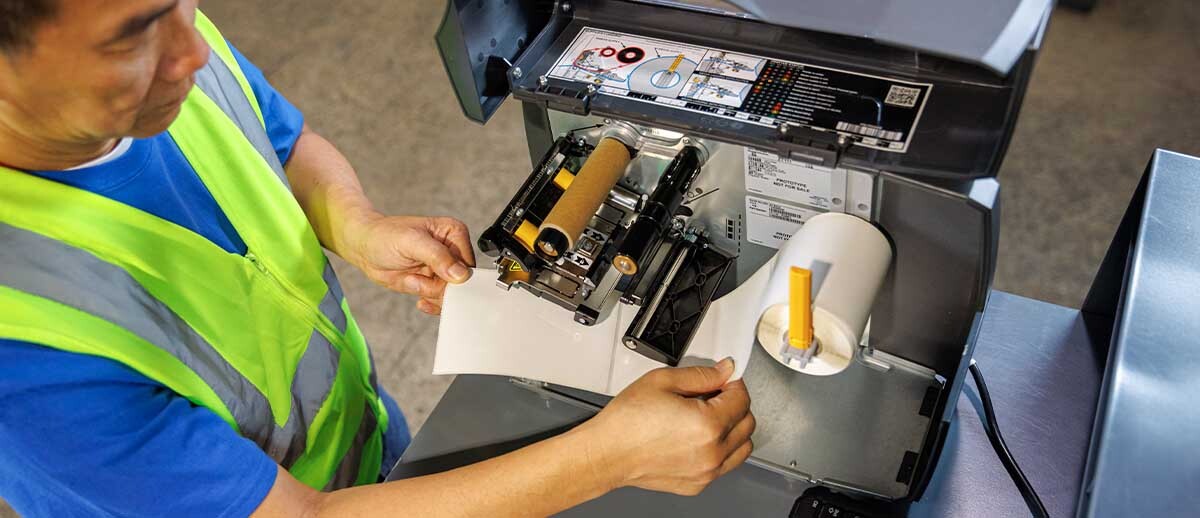
Step-by-Step Troubleshooting Guide: How to Fix Zebra Media and Ribbon Sensor Errors
|
Step 1: Clean And Check The Sensors Before jumping into calibrations:
If the printer’s sensors are dirty or misaligned, they won’t detect the media or ribbon correctly—leading to those frustrating error messages. |
Step 2: Calibrate The LCD Touchscreen (If Applicable) For Zebra printers with LCD screens (like the ZT411, ZT620, or ZD621):
This ensures proper response when navigating the on-screen menu during calibration steps. |
|
Step 3: Perform A Factory Default The Factory Default resets the printer to its base settings, without affecting network configurations. It:
To perform a Factory Default:
Most media and ribbon detection issues are resolved after this step alone. |
Step 4: Media Ribbon Calibration If the issue persists, a Media Ribbon Calibration will fine-tune the sensors to match the current media and ribbon. This is especially important if you’ve recently changed:
Calibration Process:
Your Zebra printer will now have optimized detection settings for the exact materials you’re using. |
|
Other Pro Tips From Our Technicians
|
|

Still Stuck? Contact Advanced Automation
If you’ve performed the steps above and your Zebra printer is still giving false sensor errors, there may be a deeper issue—such as a failing sensor or corrupted logic board. That’s where we come in.
Advanced Automation Offers:
- Zebra Printer Repair & Service (per incident or service agreements)
- Genuine Zebra parts (Zebra Printheads, sensors, platen rollers)
- Real-time technical support from ZASP-certified experts
- Fast access to Zebra labels, ribbons, and Zebra Barcoding equipment
We're here to help you minimize downtime and stay productive.
Fix Zebra Media & Ribbon Errors Quickly
Sensor errors like “Media Out” and “Ribbon Out” don’t have to lead to costly repairs or endless downtime. With just a few steps—cleaning the sensors, checking alignment, performing a factory default, and running a media ribbon calibration—you can get back up and running fast.
At Advanced Automation, our mission is to help customers solve problems quickly and confidently. We’re proud to offer this self-help guide as a way to empower Zebra printer users across industries—and show exactly why we’re the go-to ZASP partner in the U.S.